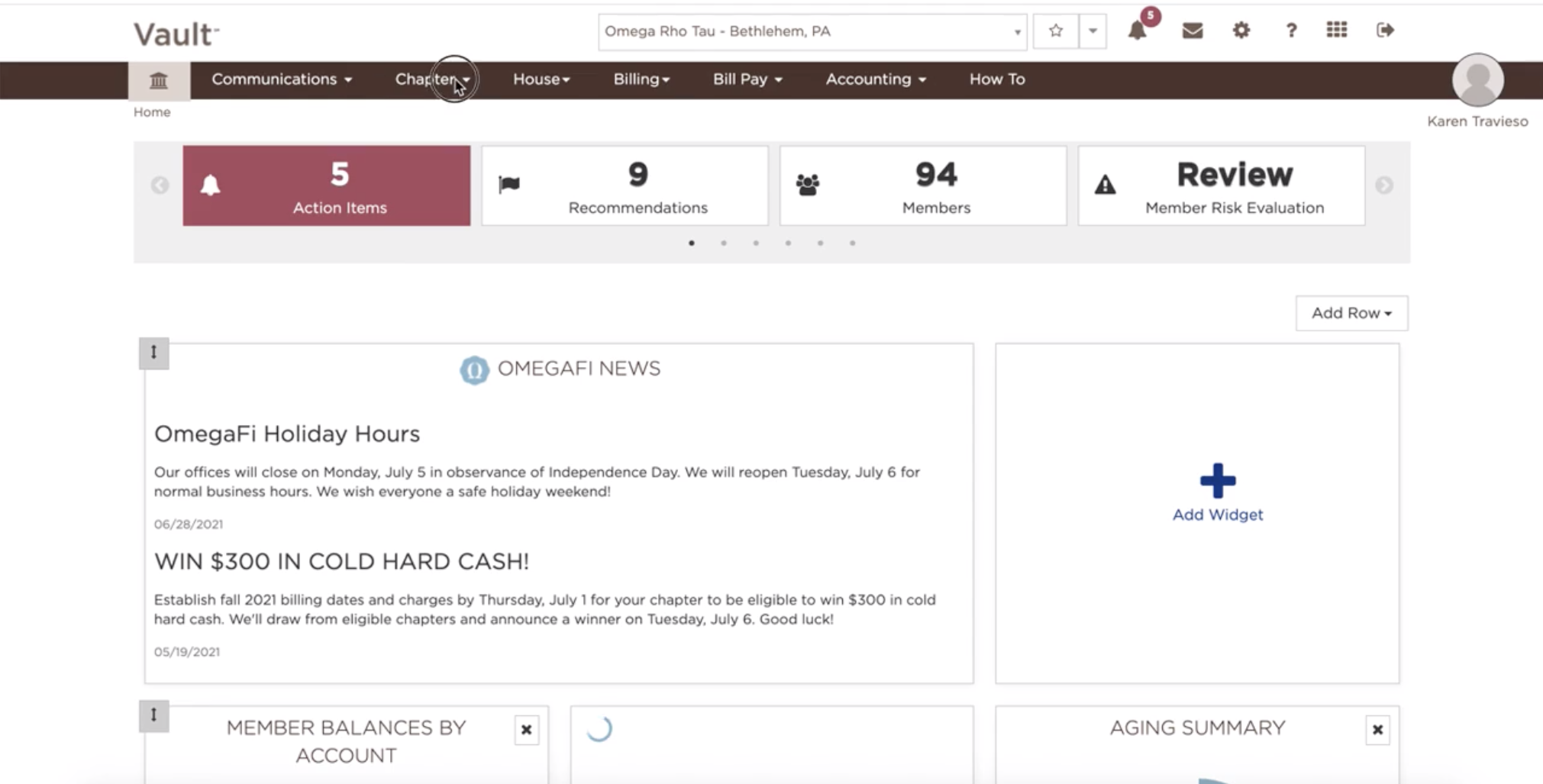
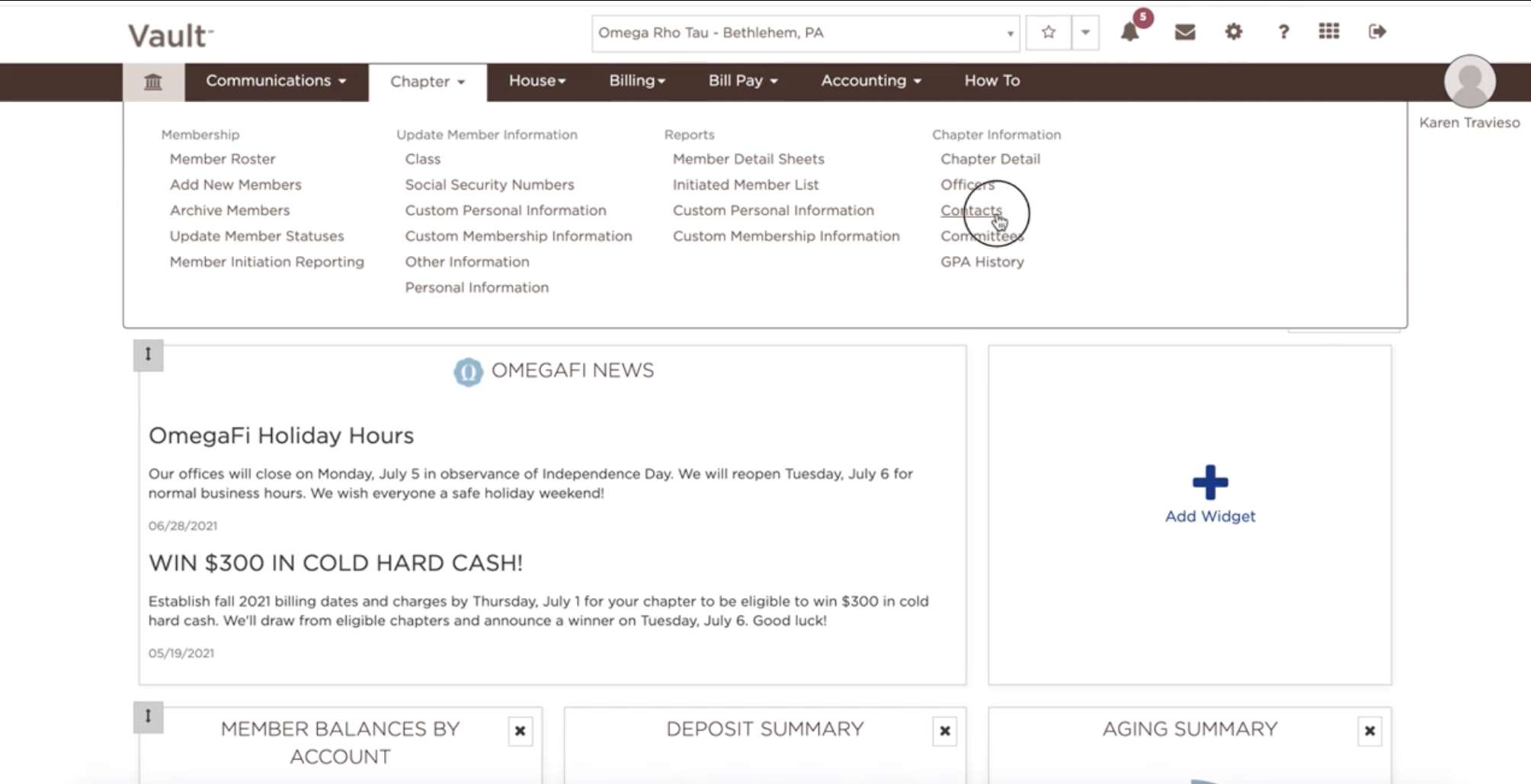
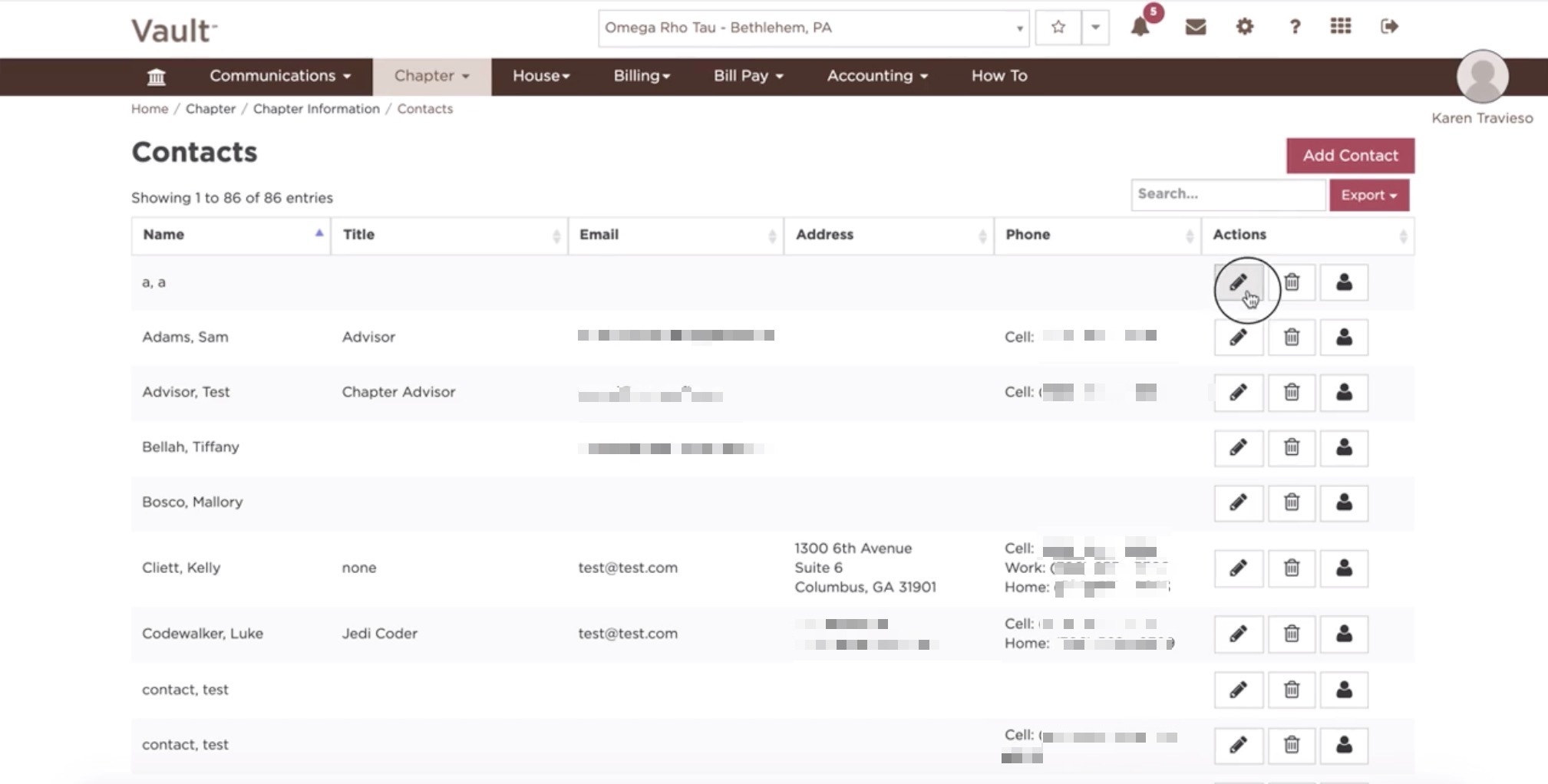
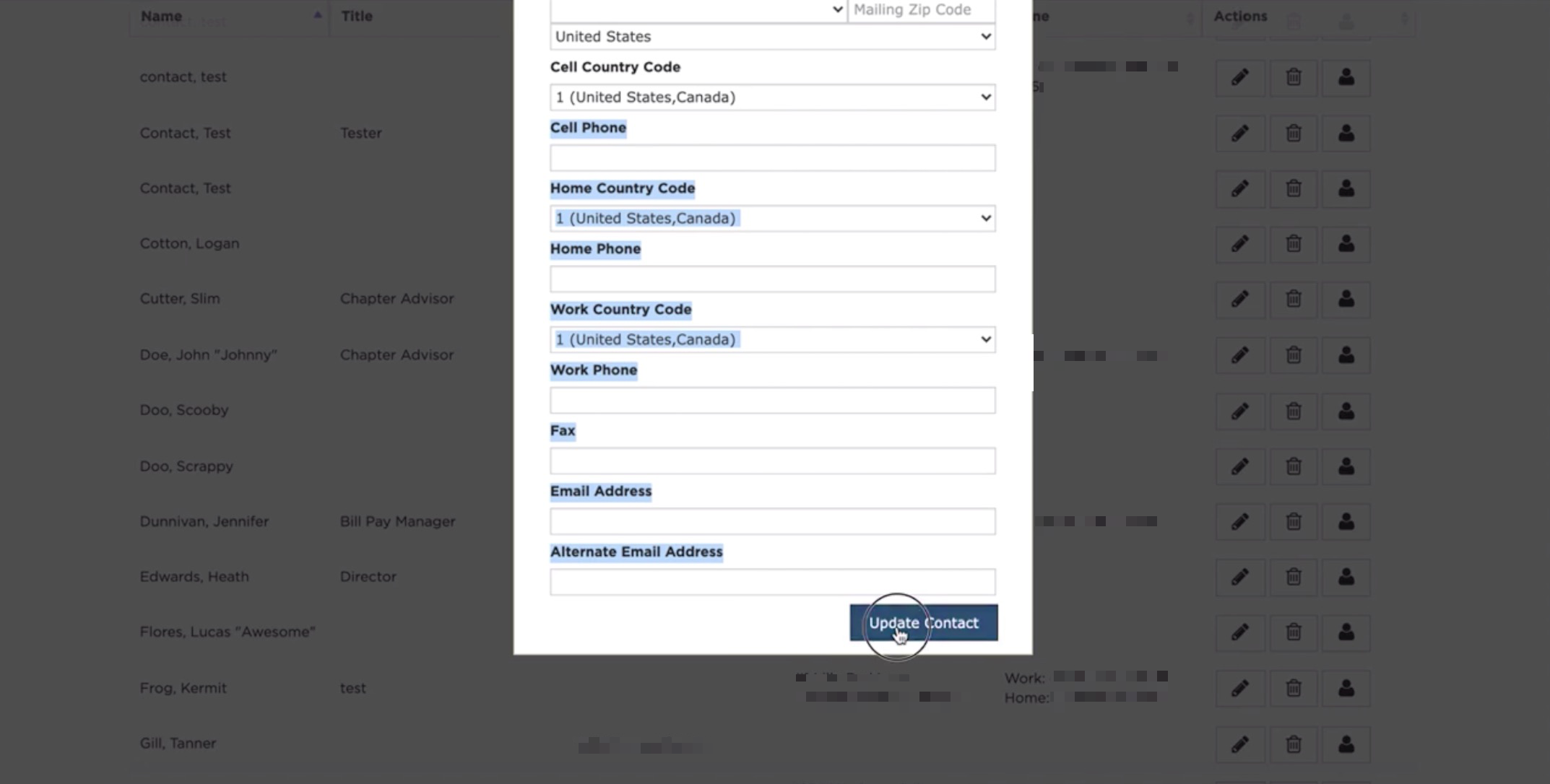
How can I edit contacts? December 01, 2021 17:19 Updated Select the Chapter tab Click on Contacts Each contact can then be edited by clicking the pencil icon Fill in all the open boxes and select "Update Contact" when done See also: How do I add, modify or remove Vault access? How do you add a contact? How can I delete contacts? Related articles How to Update Member Addresses How do I transfer money to or from an Officer Purchasing Card? How does Member Initiation Reporting work? How do you add a contact? How can I delete contacts?