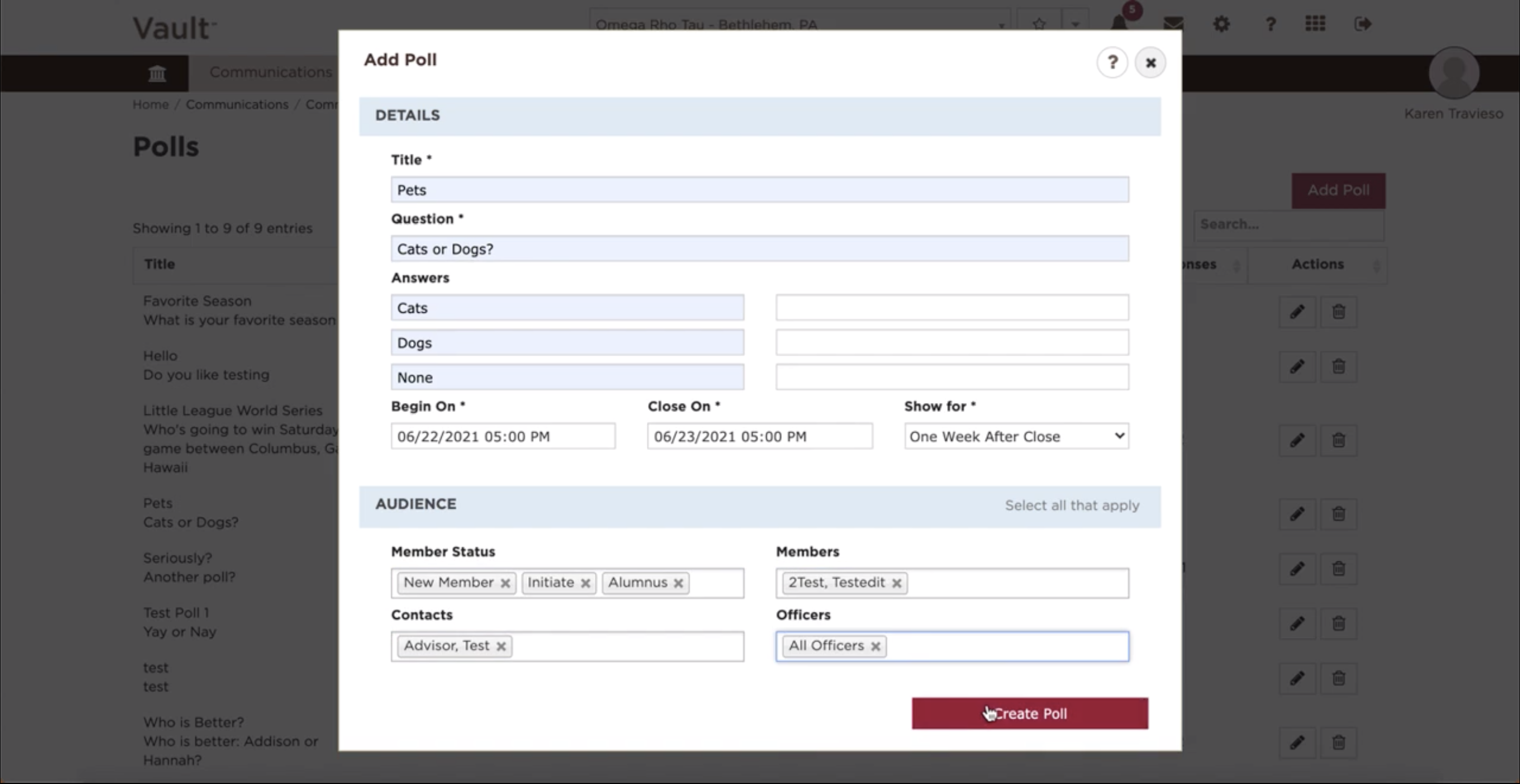
In order to add a poll, follow these few easy steps:
*Note - Polls added to Vault will appear on members' myOmegaFi pages
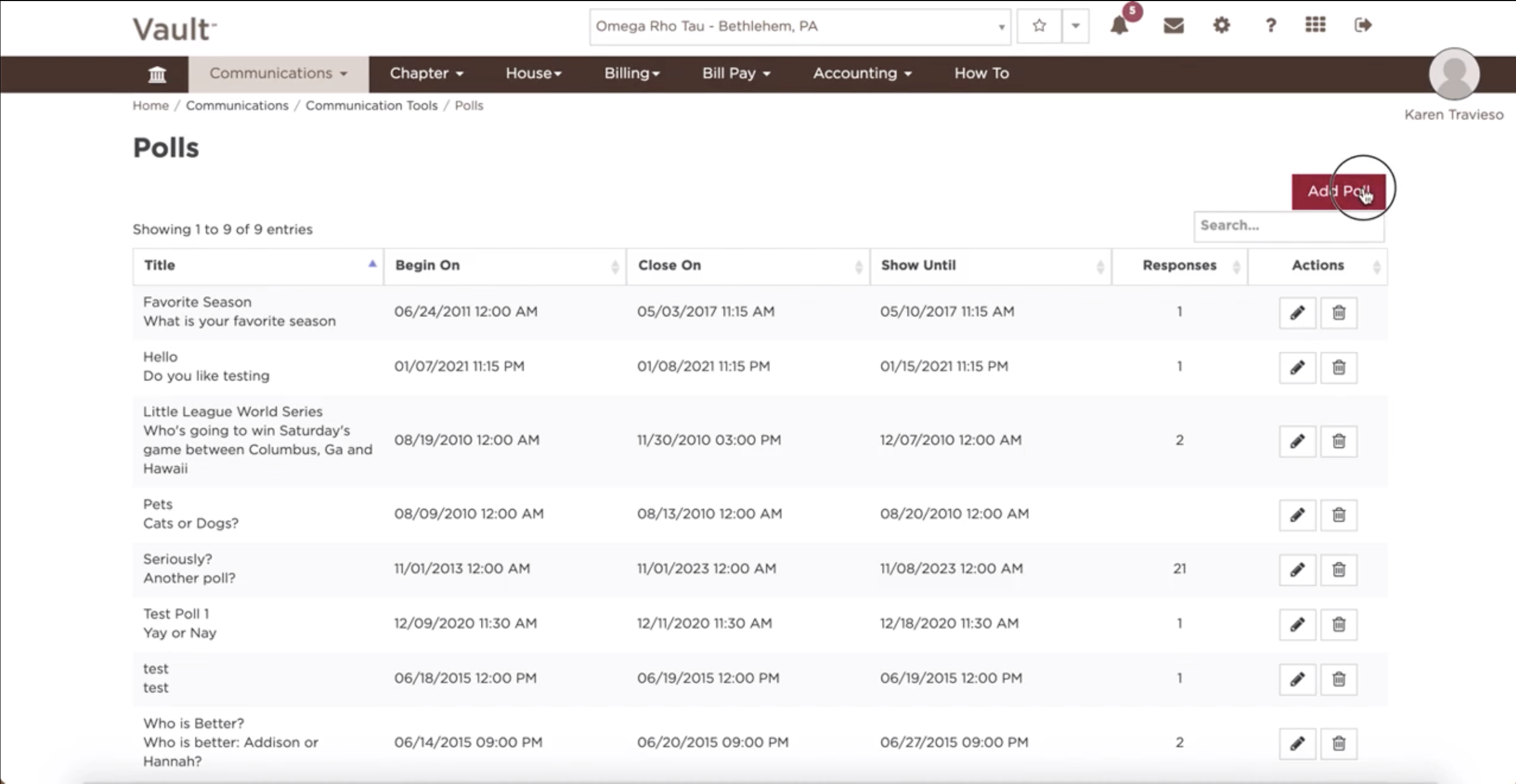
- Click on 'Communications'
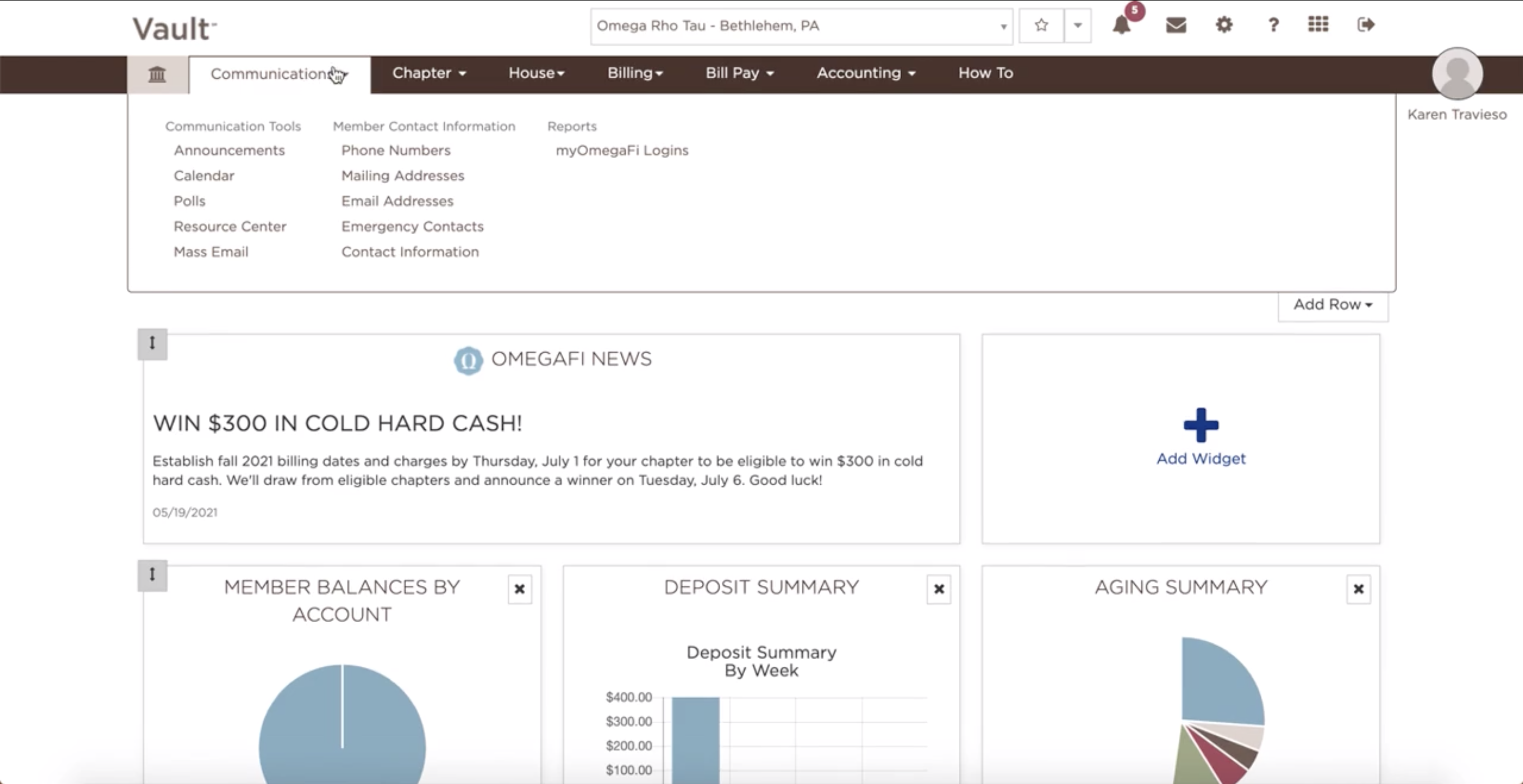
- Select 'Polls'
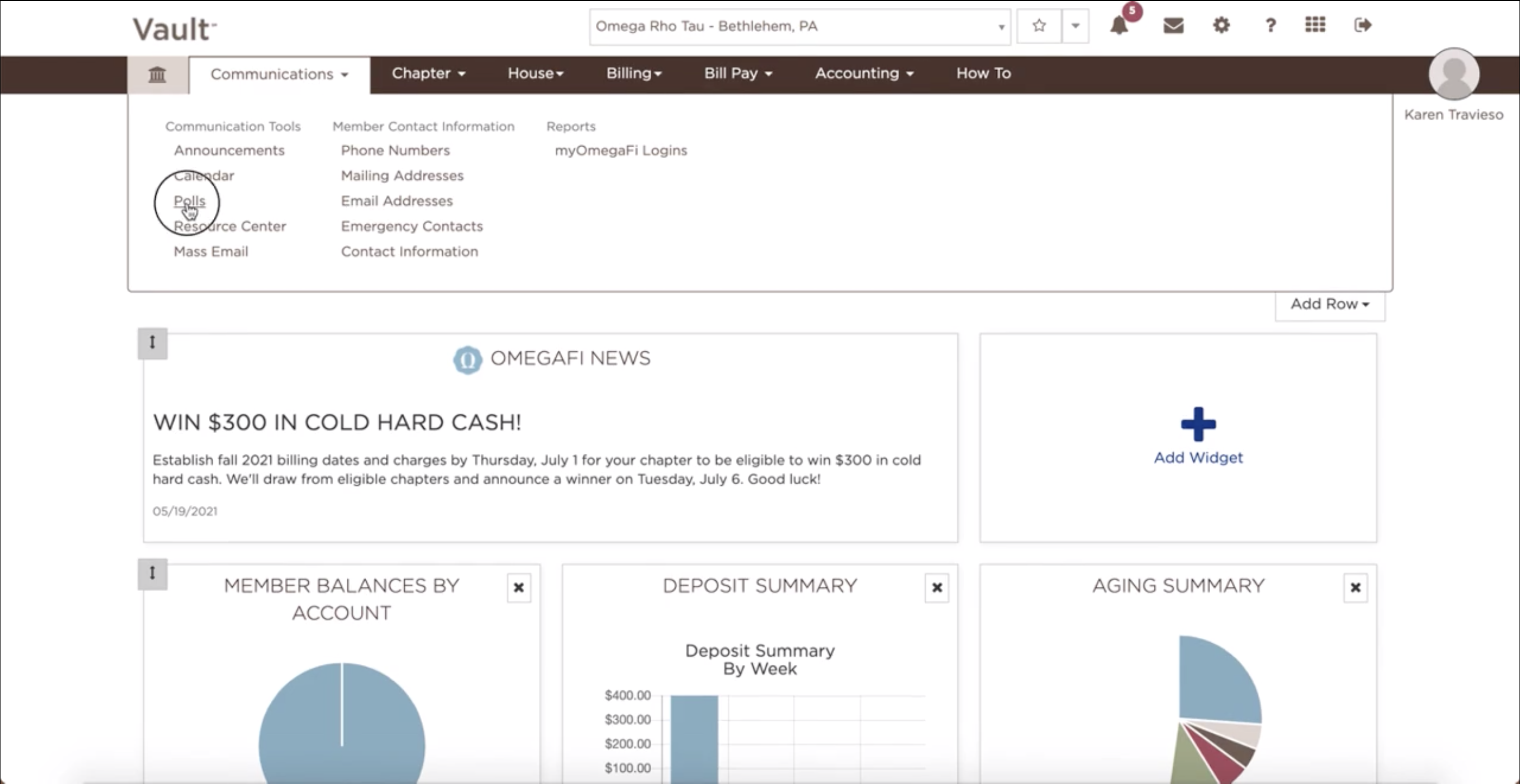
- Select 'Add Poll'
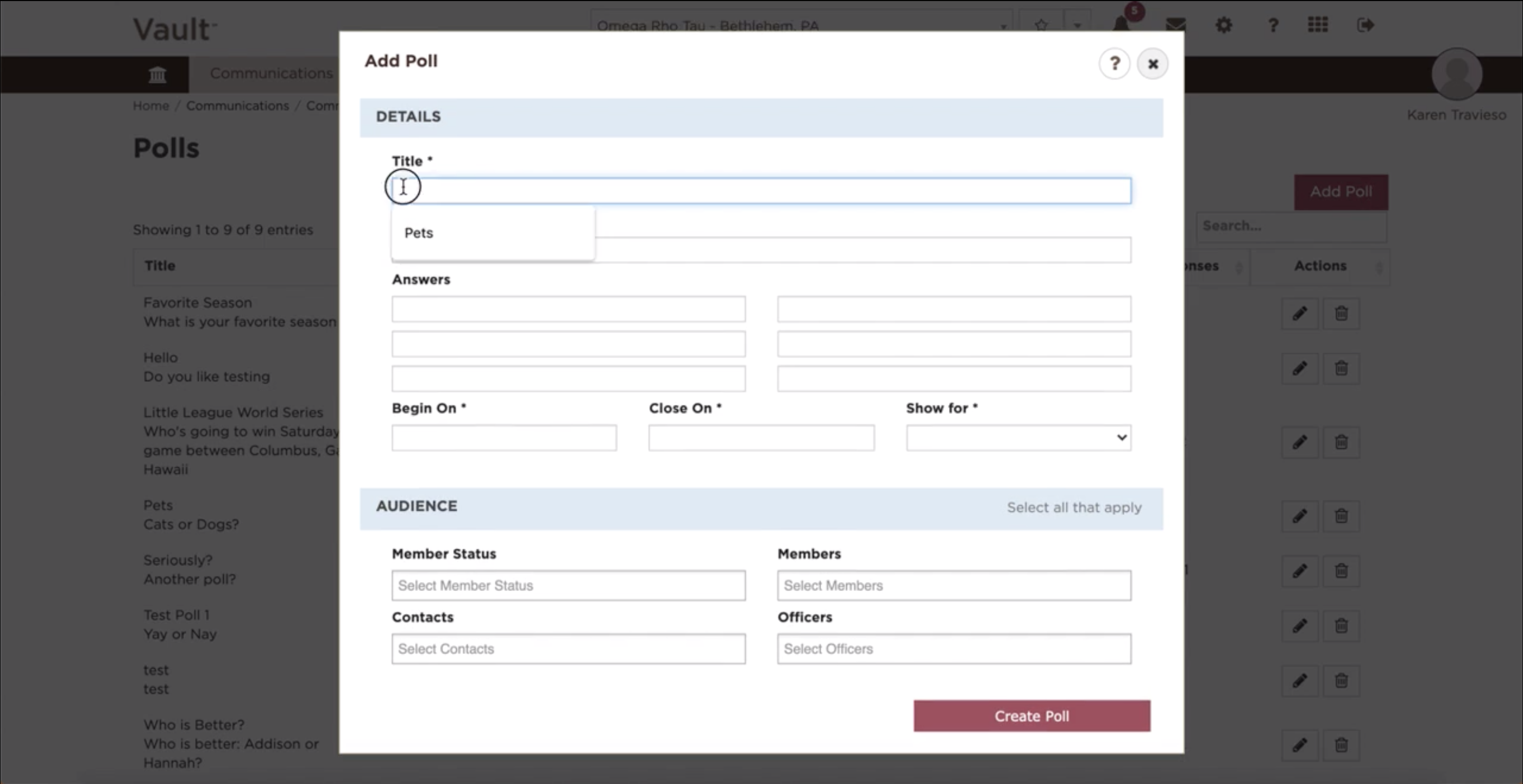
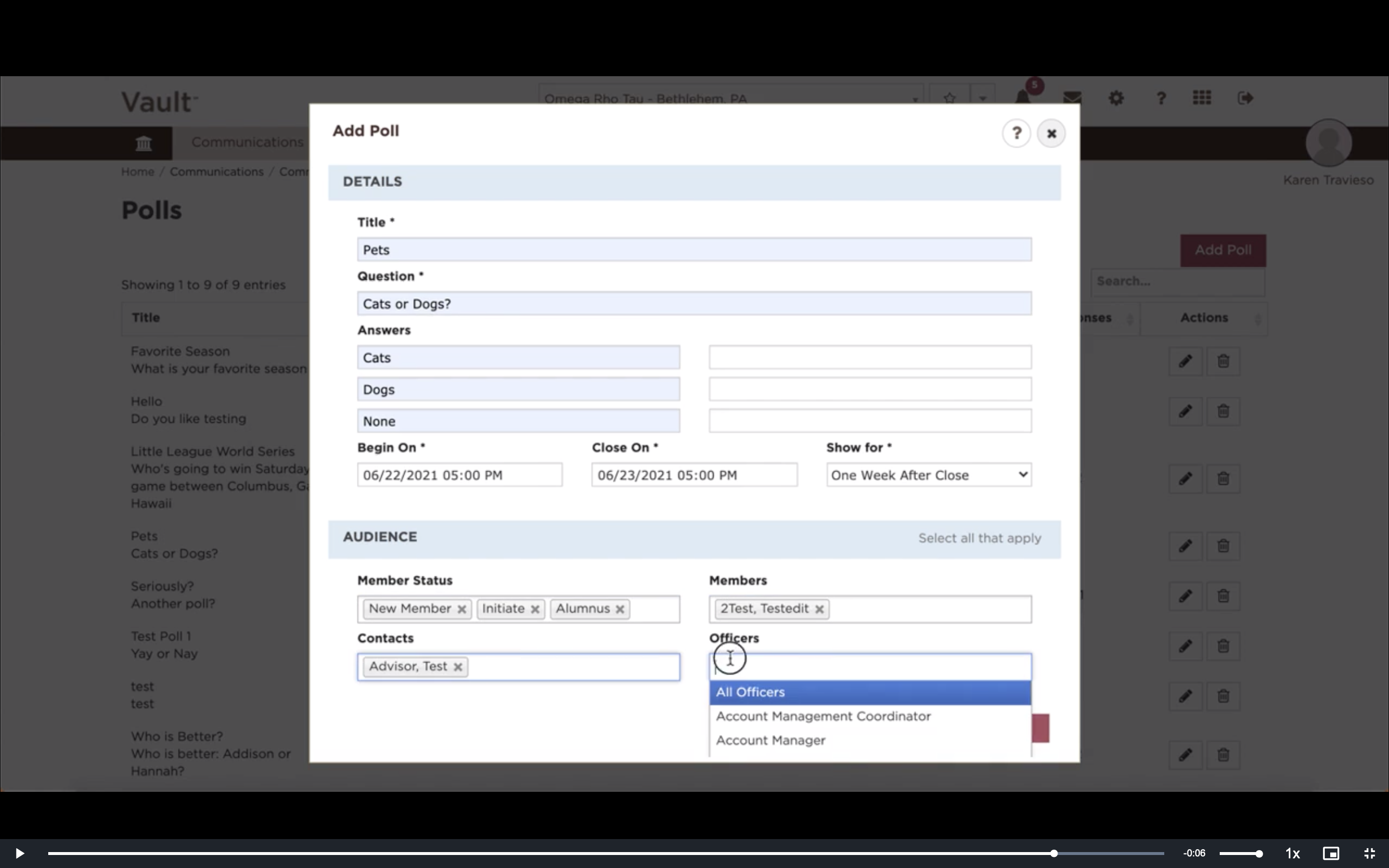
- Enter the 'Title'
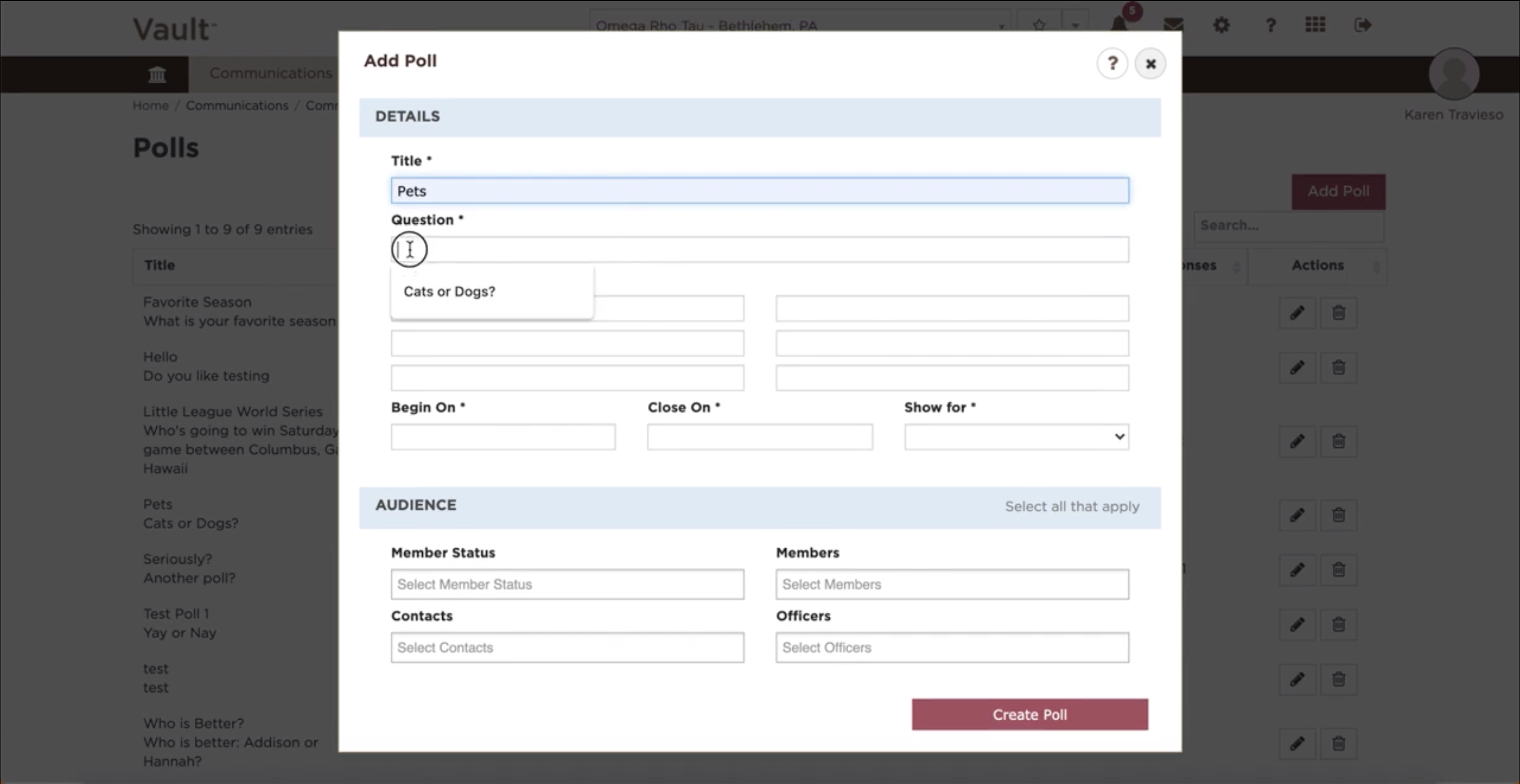
- Enter the 'Question'
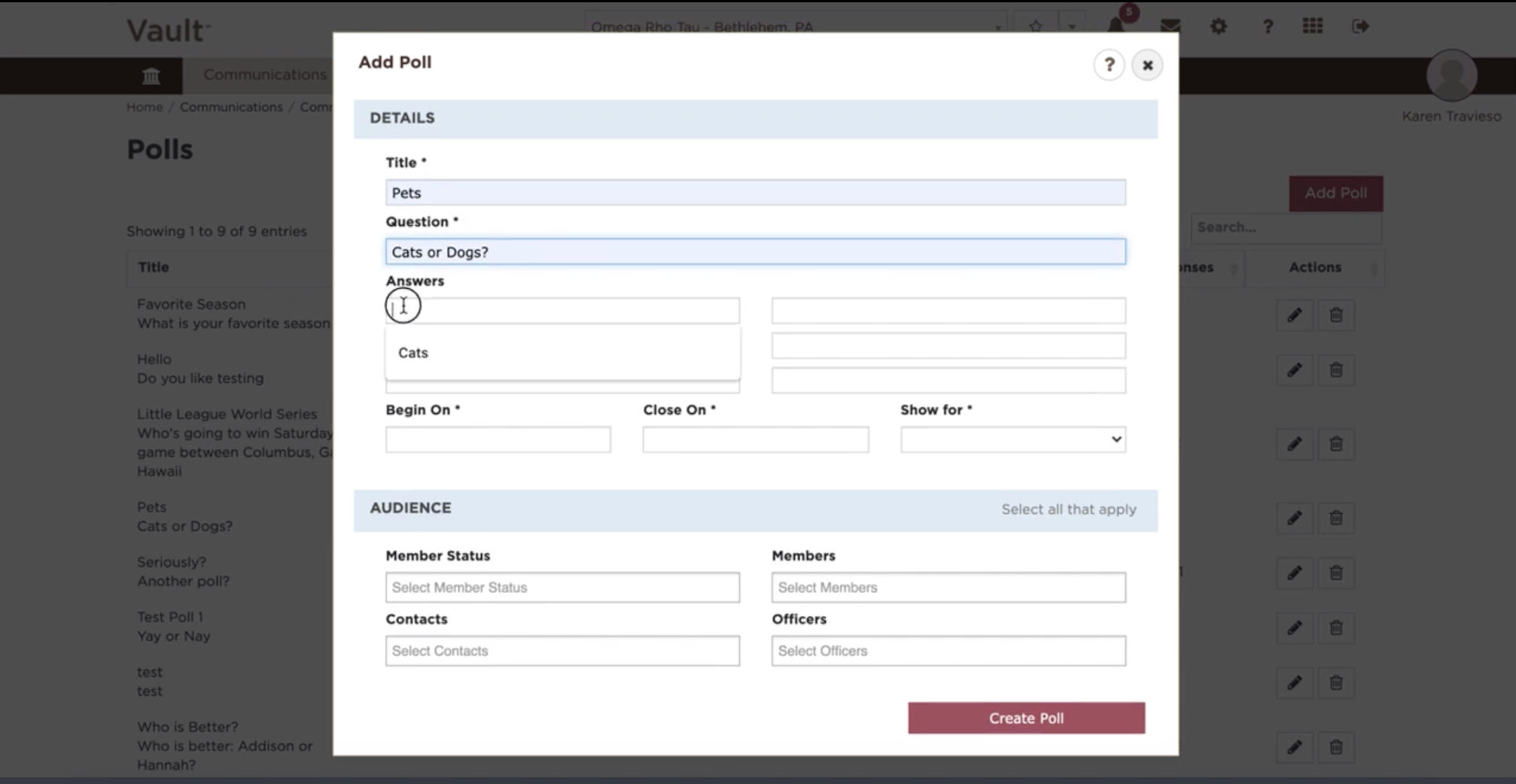
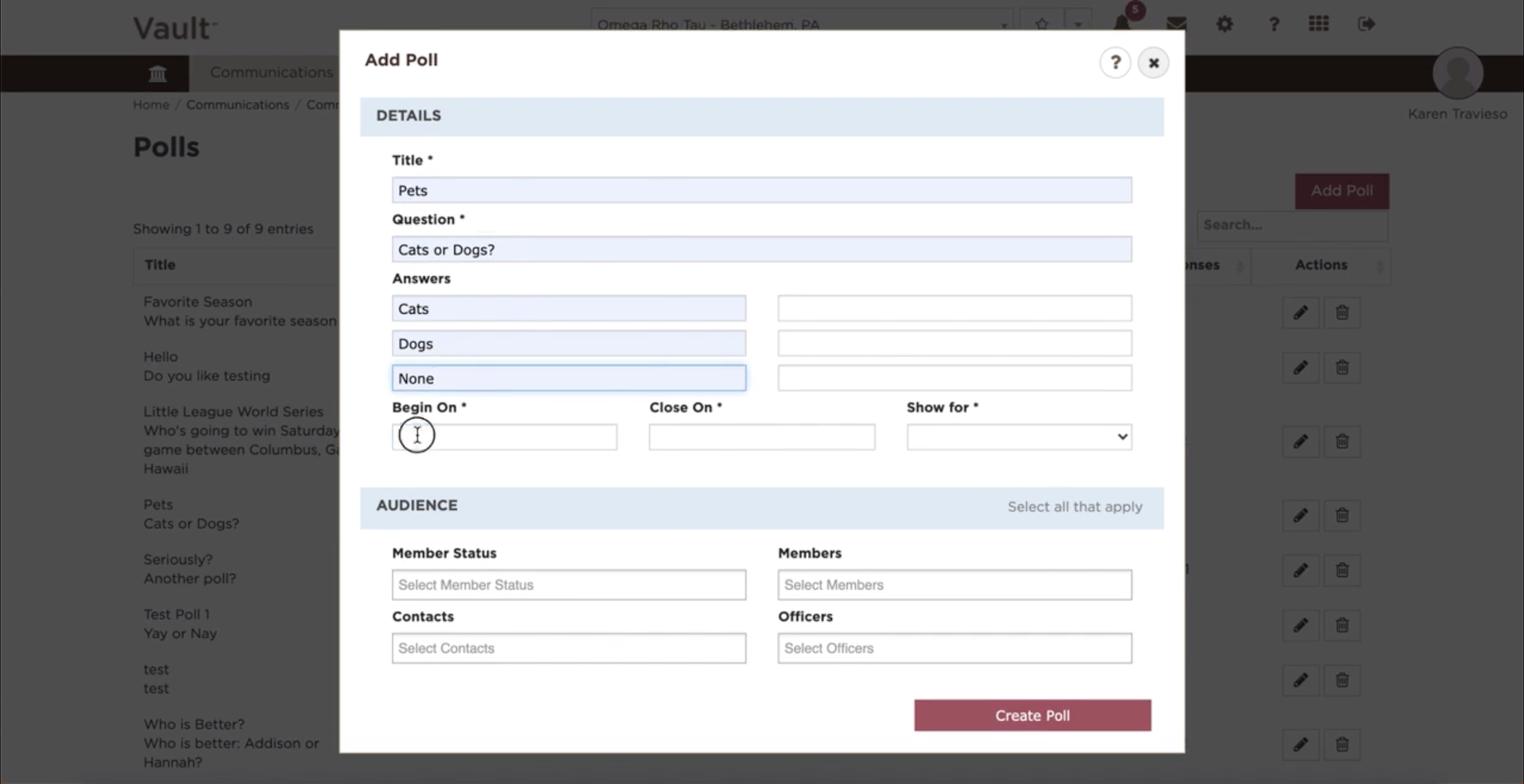
- Enter up to six 'Answers'
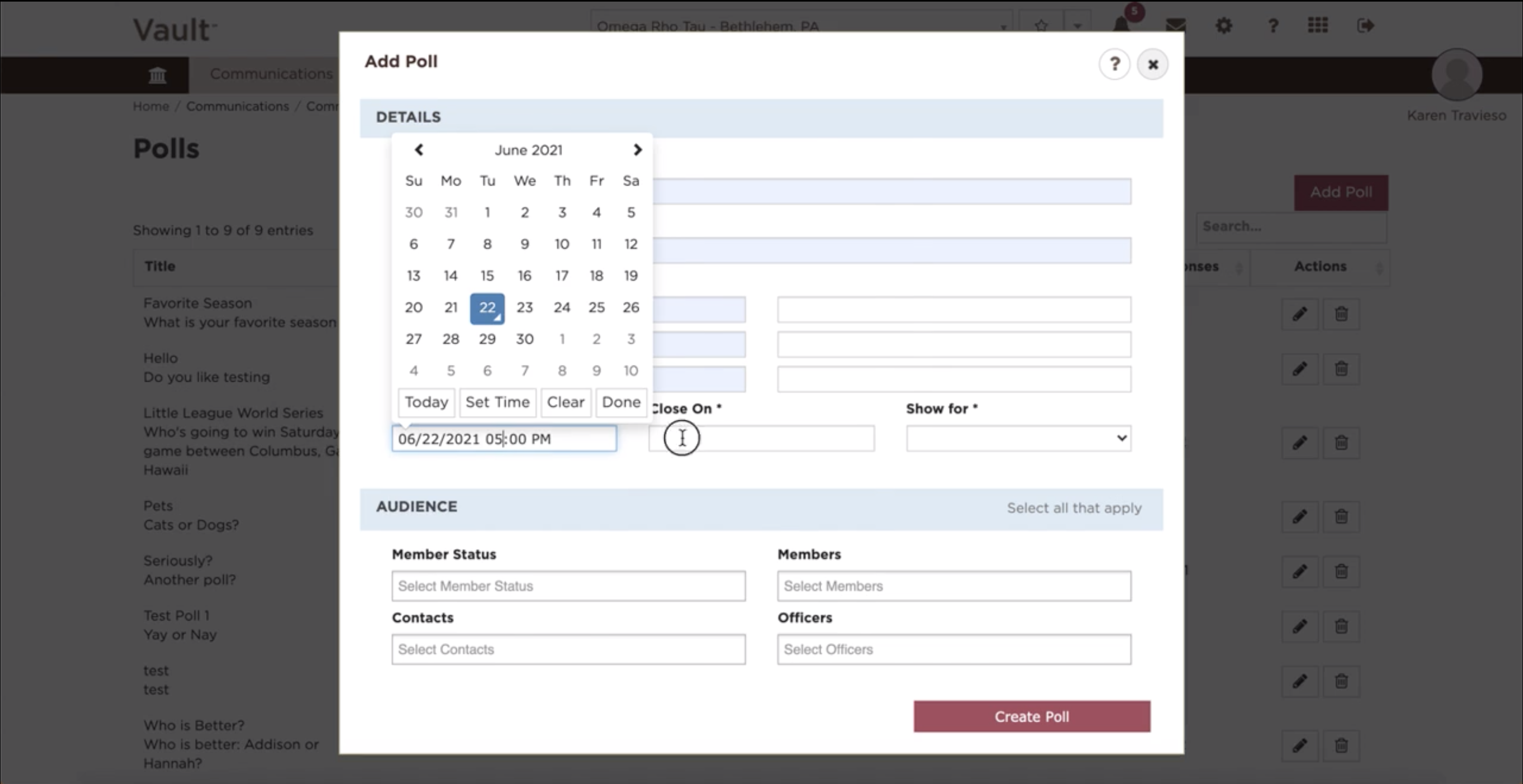
- Select a 'Begin On' and 'Close On' date
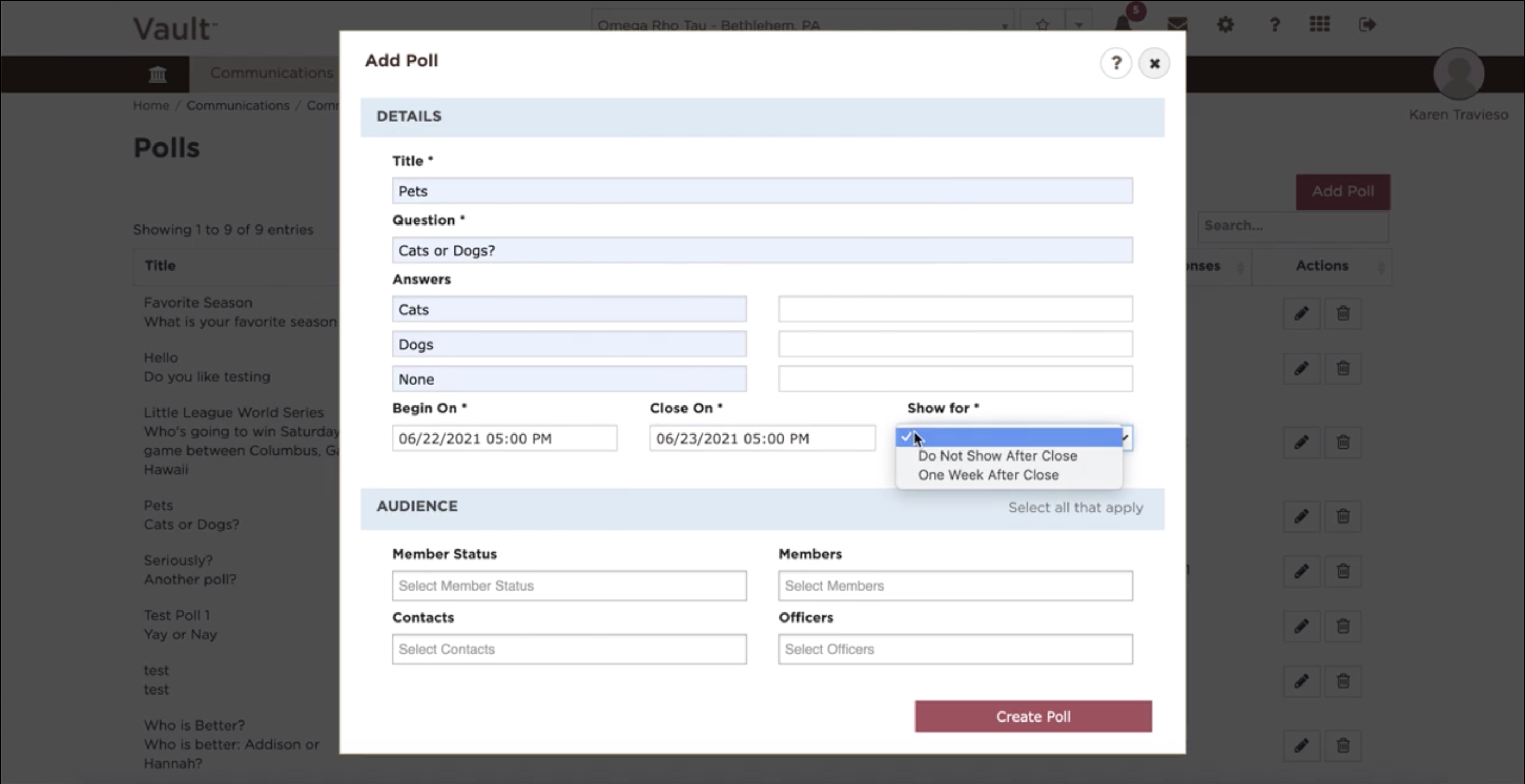
- Choose a 'Show For' option
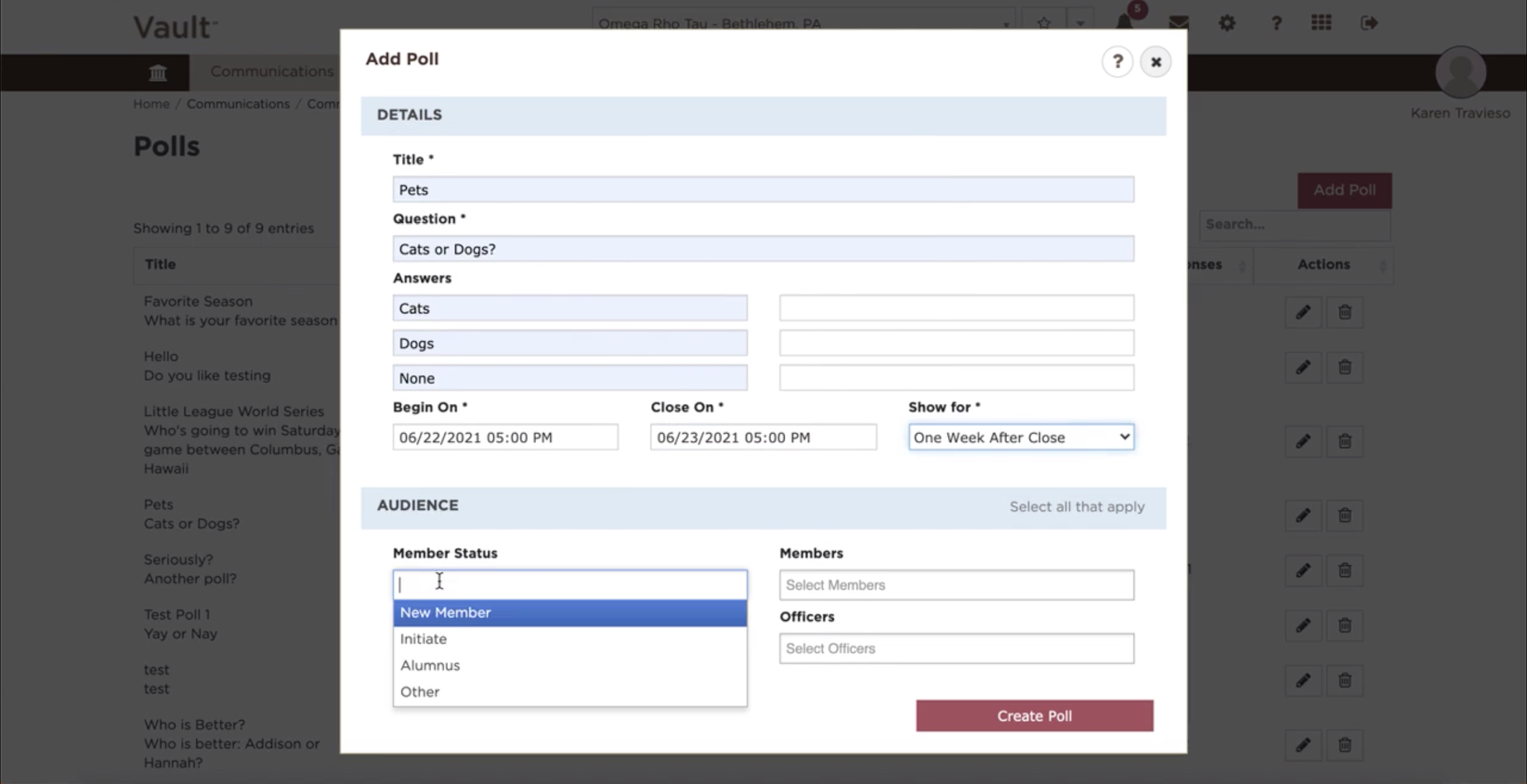
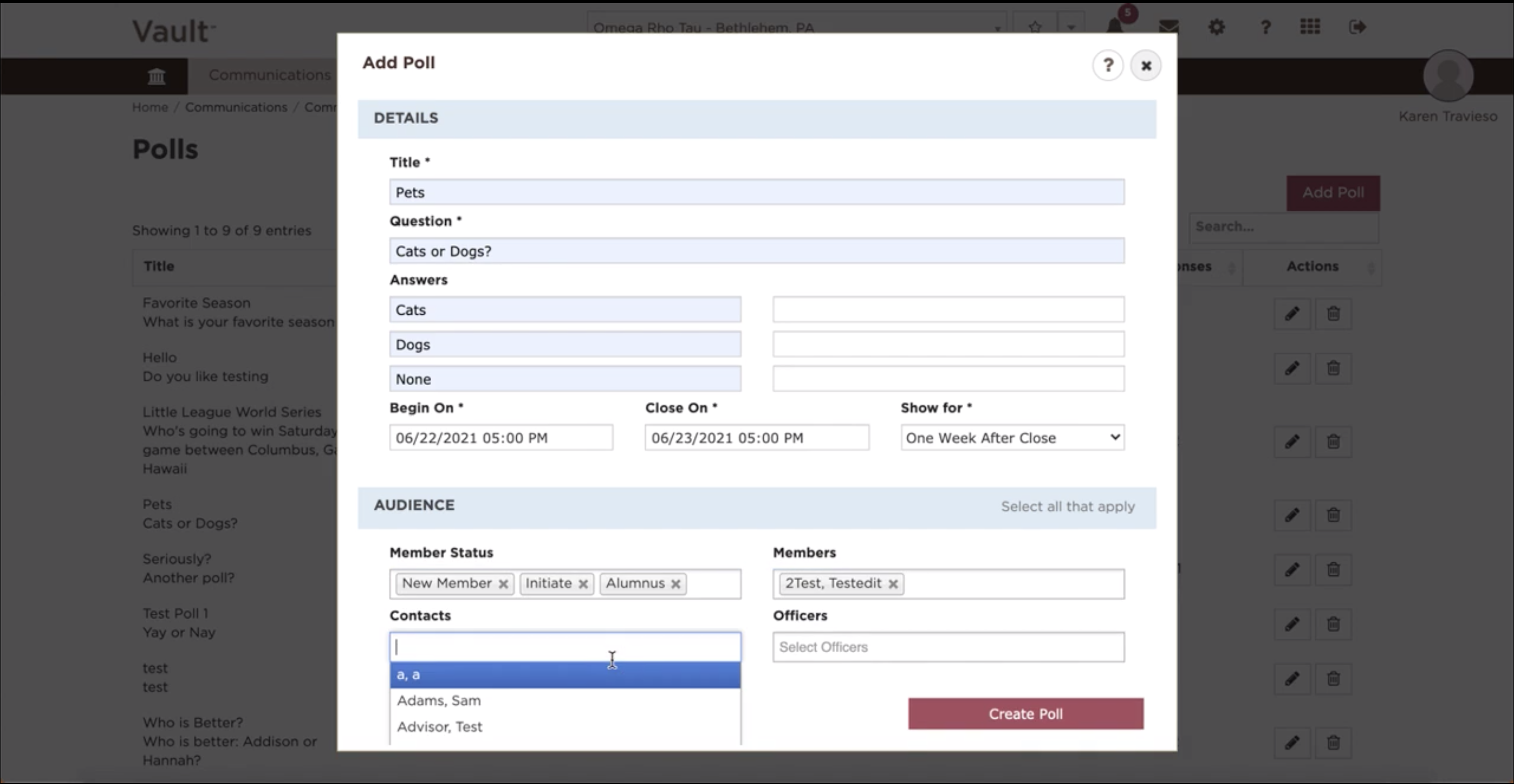
- Select the 'Audience' based on the criteria listed
- Member Status
- Members
- Contacts
- Officers
- Click 'Create Poll' to save