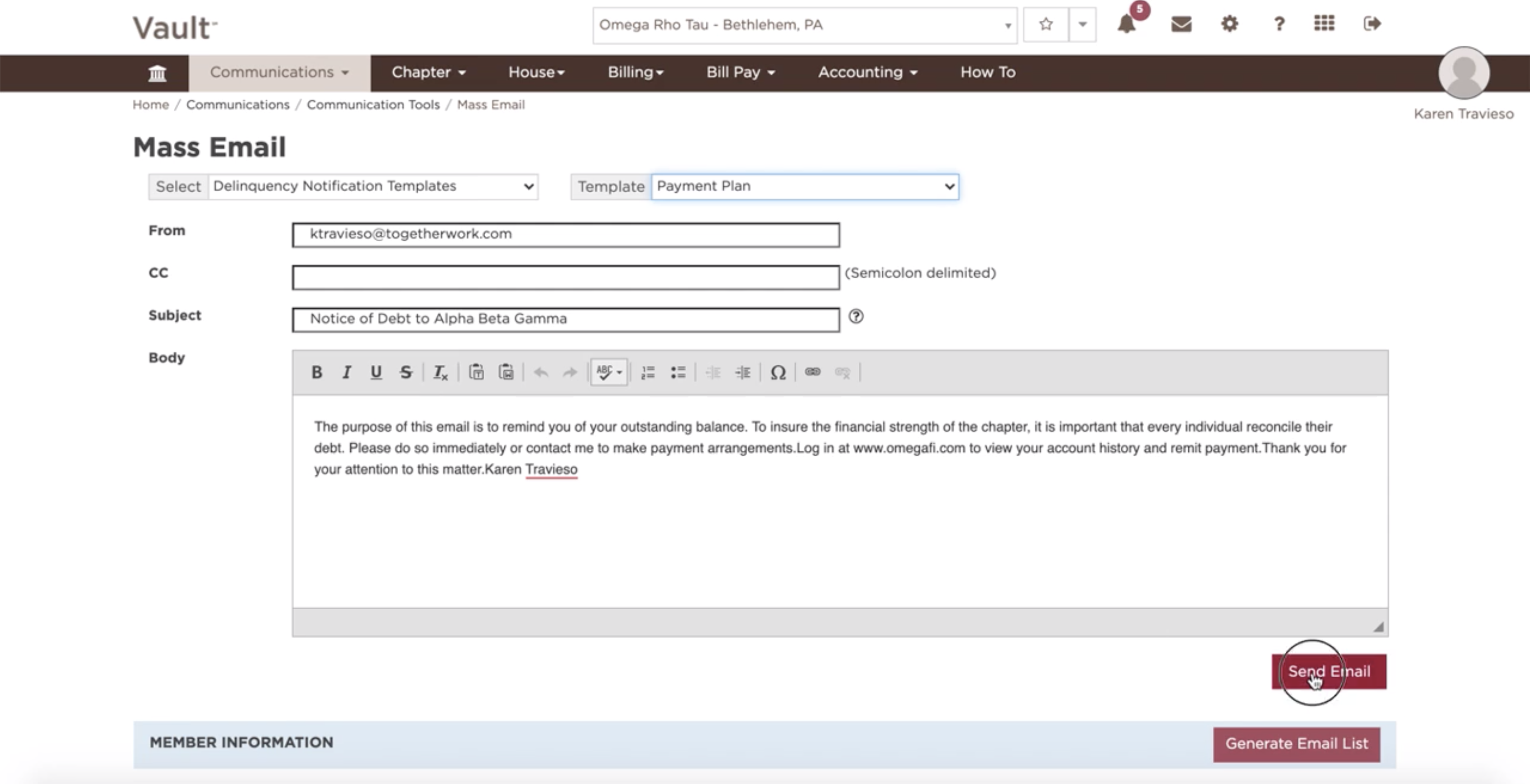
In order to send a mass email, perform the following steps:
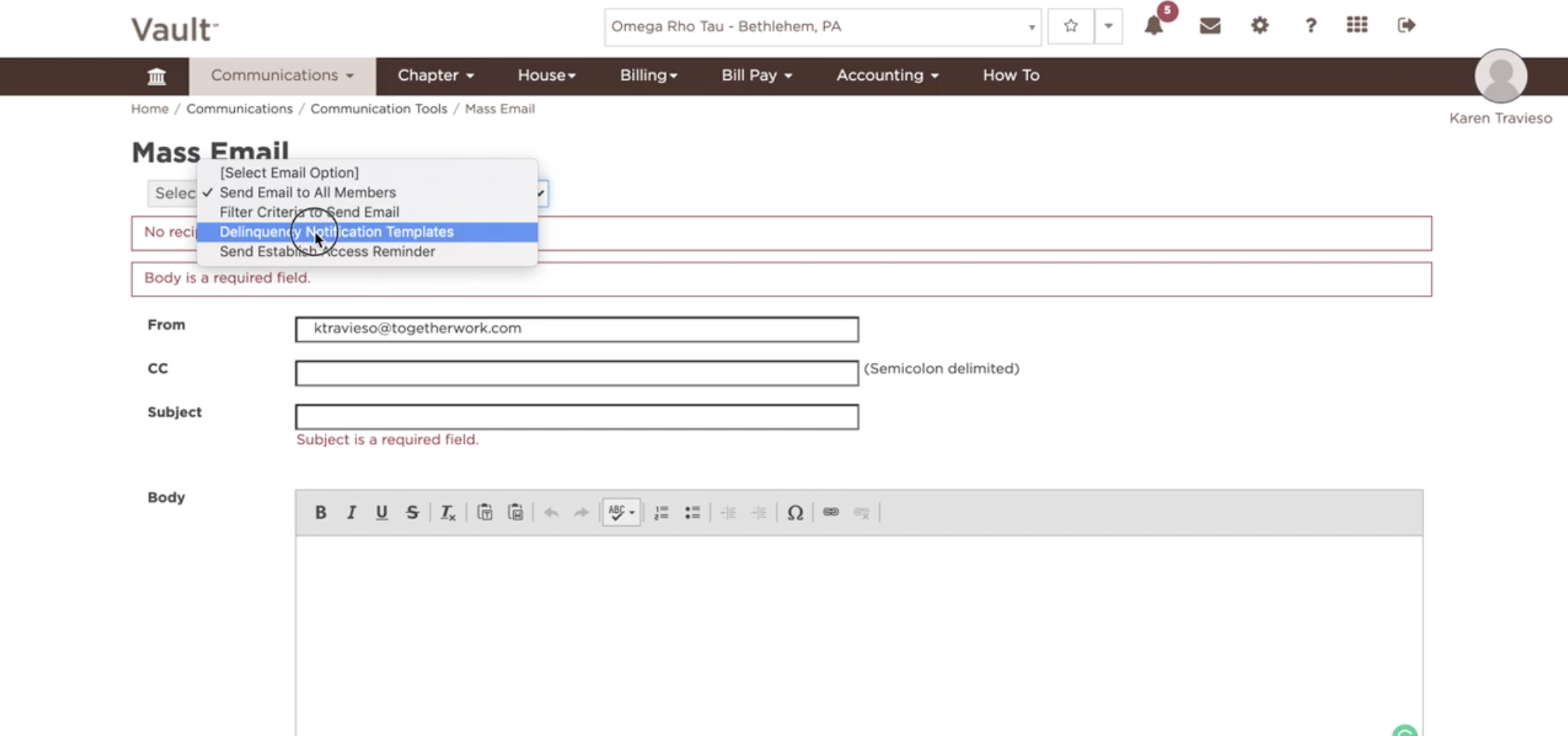
- Select an 'Email Option' from the drop-down box
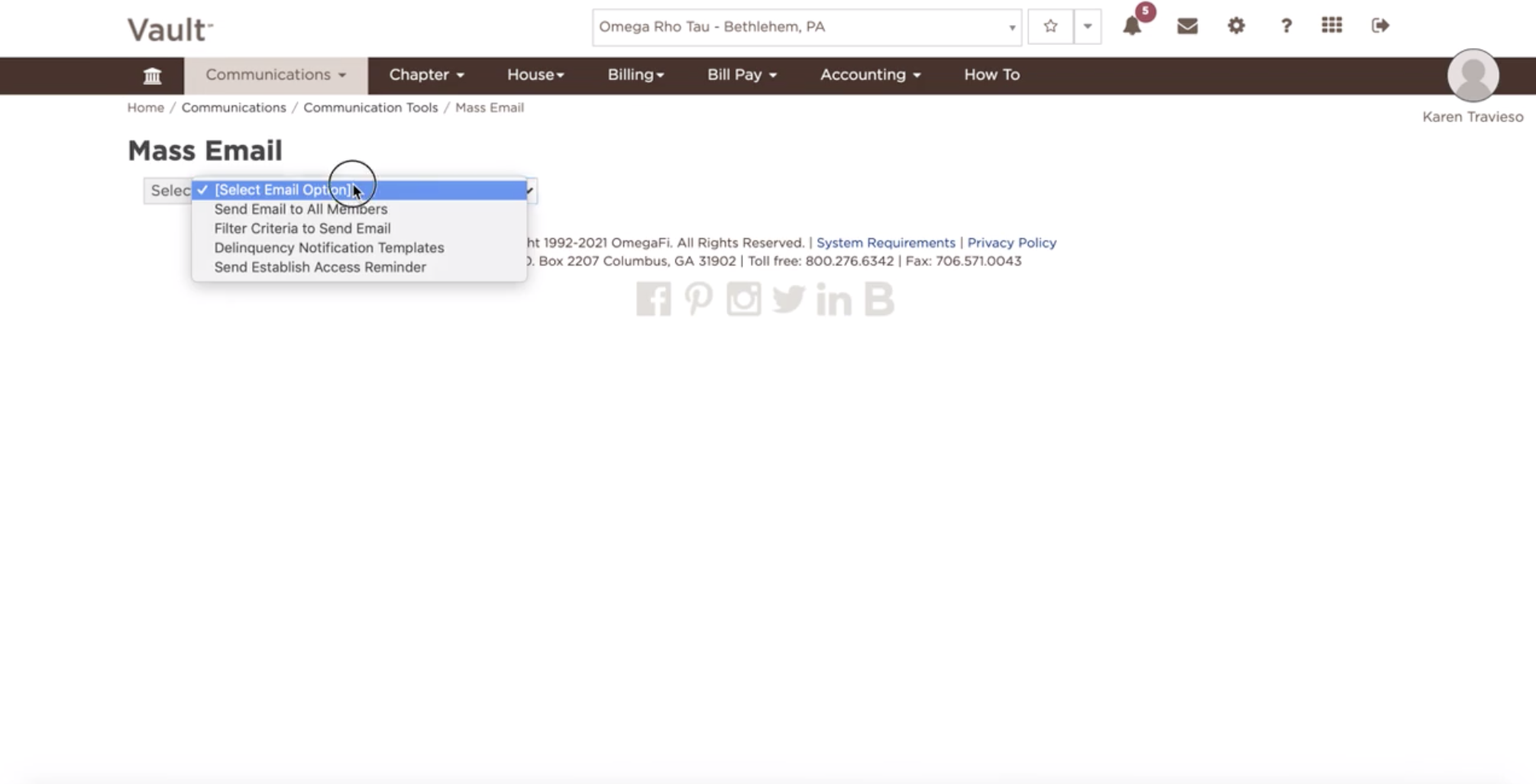
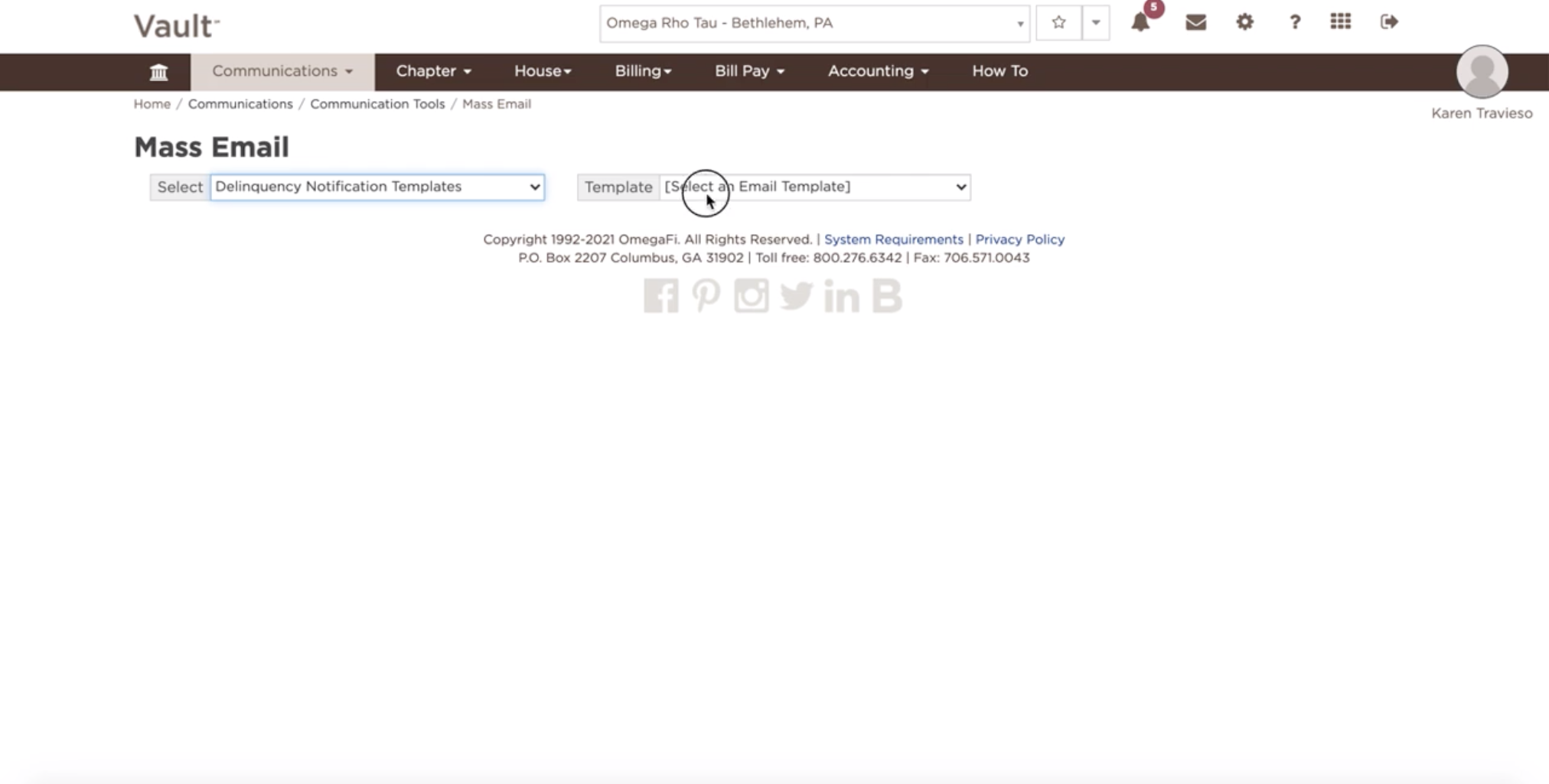
- If you select one of the 'Delinquency Notification Templates', the subject and body of the email will pre-fill. This information can still be edited before sending.
- If you select 'Send Email to all Members', you will need to enter the subject and body of the email before sending.
- If you select to 'Filter Criteria to Send Email', you will be prompted to choose your 'Audience' prior to composing the email. You will need to enter the subject and body of the email before sending.
- Choose an 'Audience'
- Select applicable members and/or parents from the recipient list provided.
- Select 'Send Email'