In order to update member statuses, follow these few easy steps:
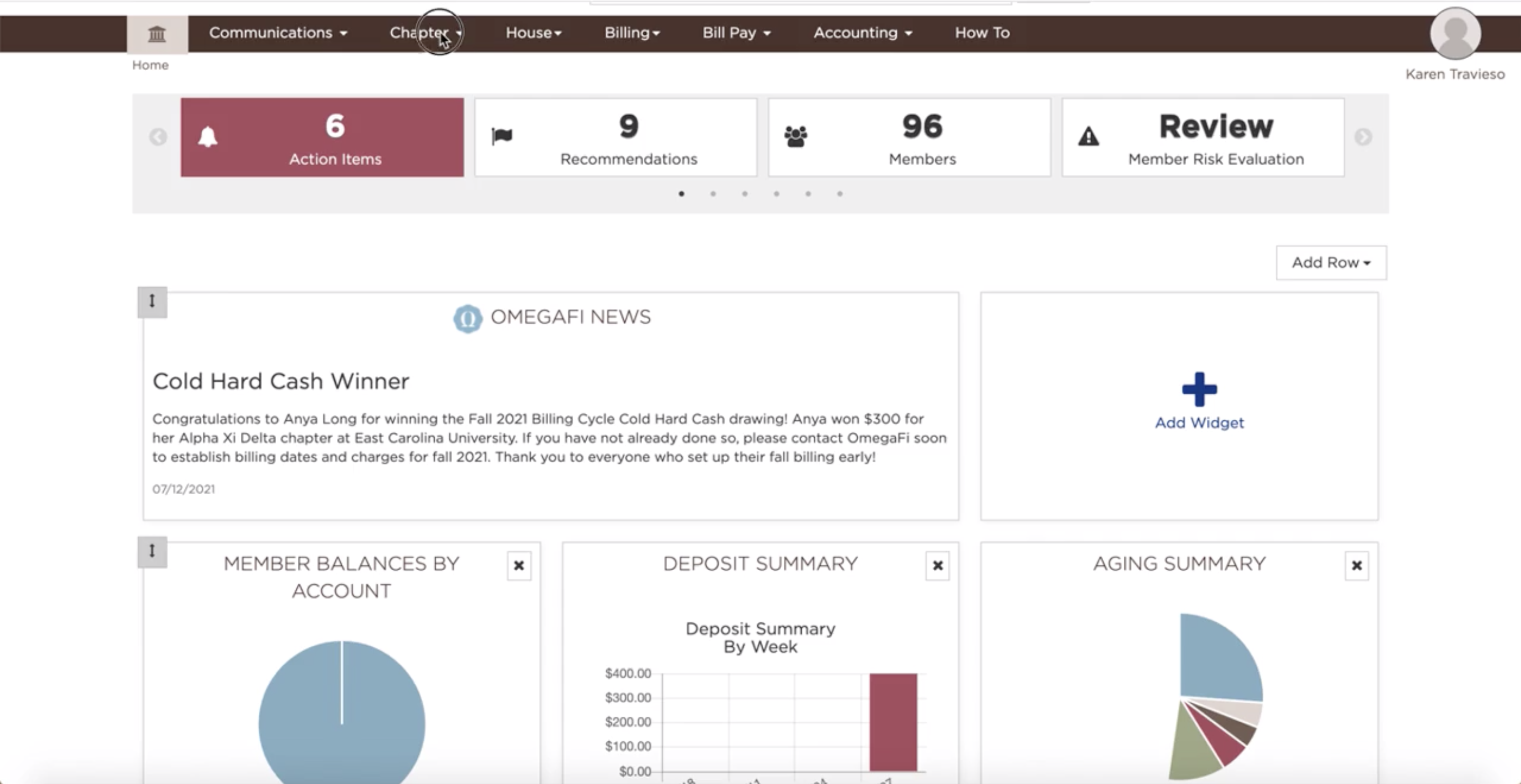
- Click on the Chapter tab
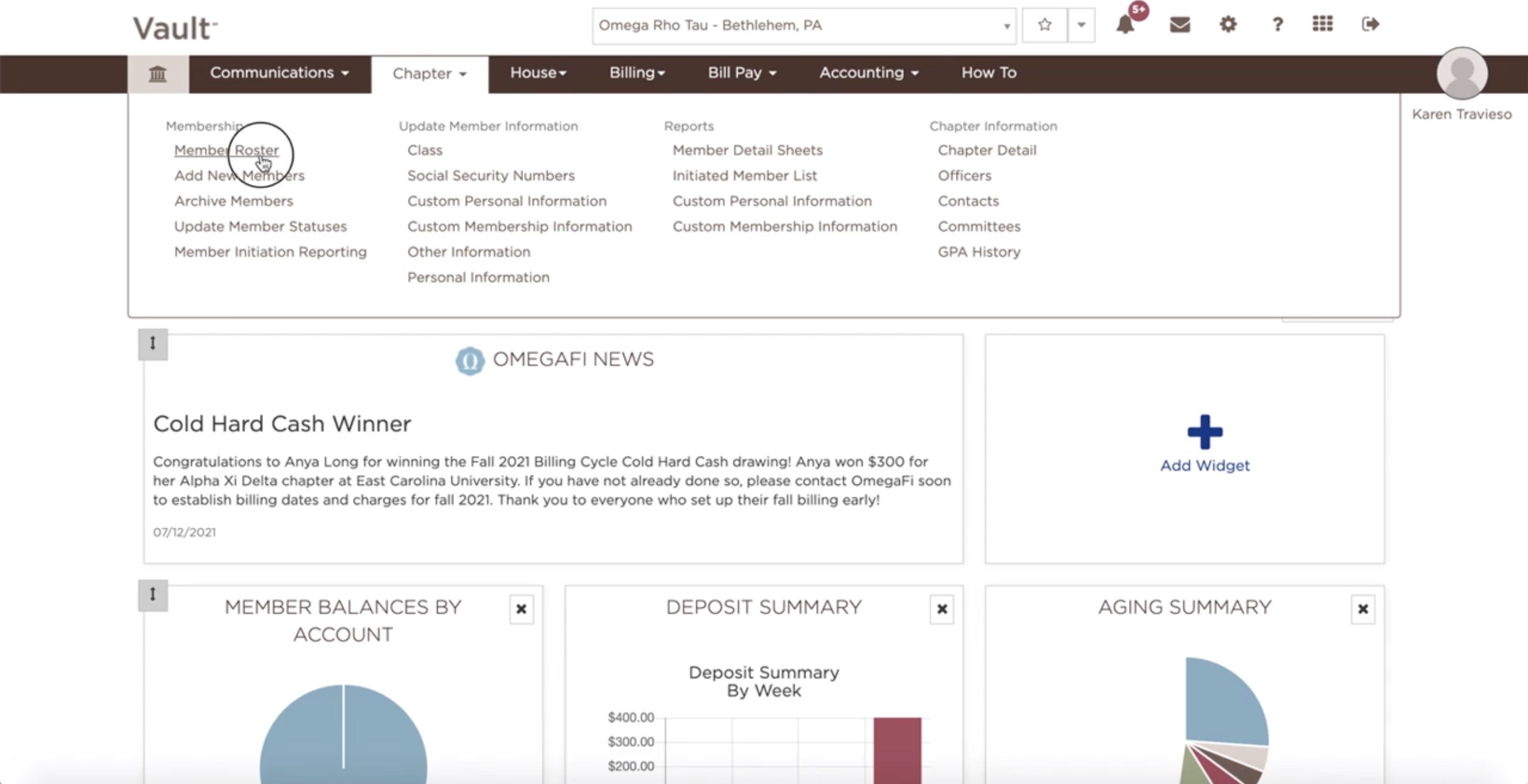
- Select Member Roster
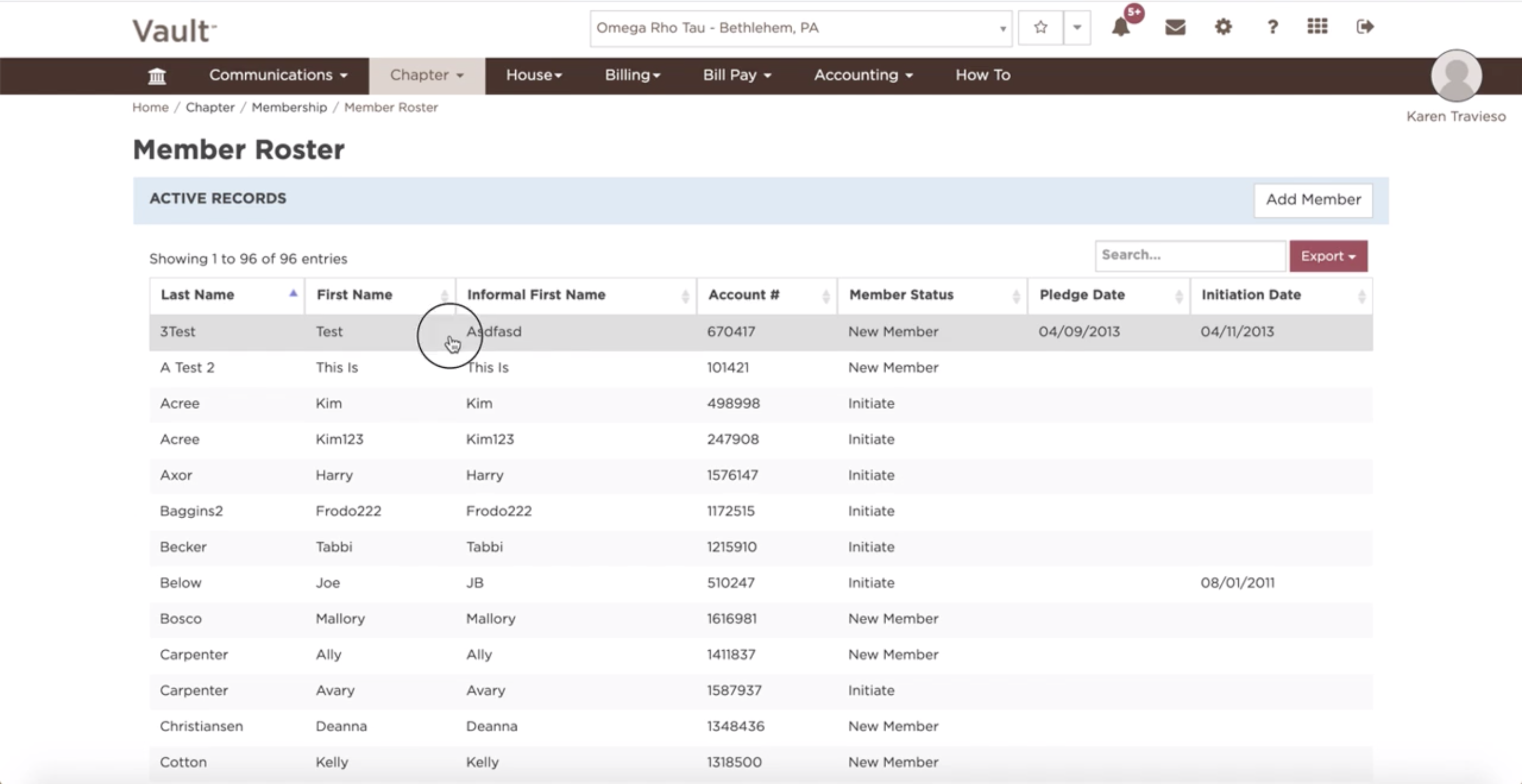
- Select the desired member
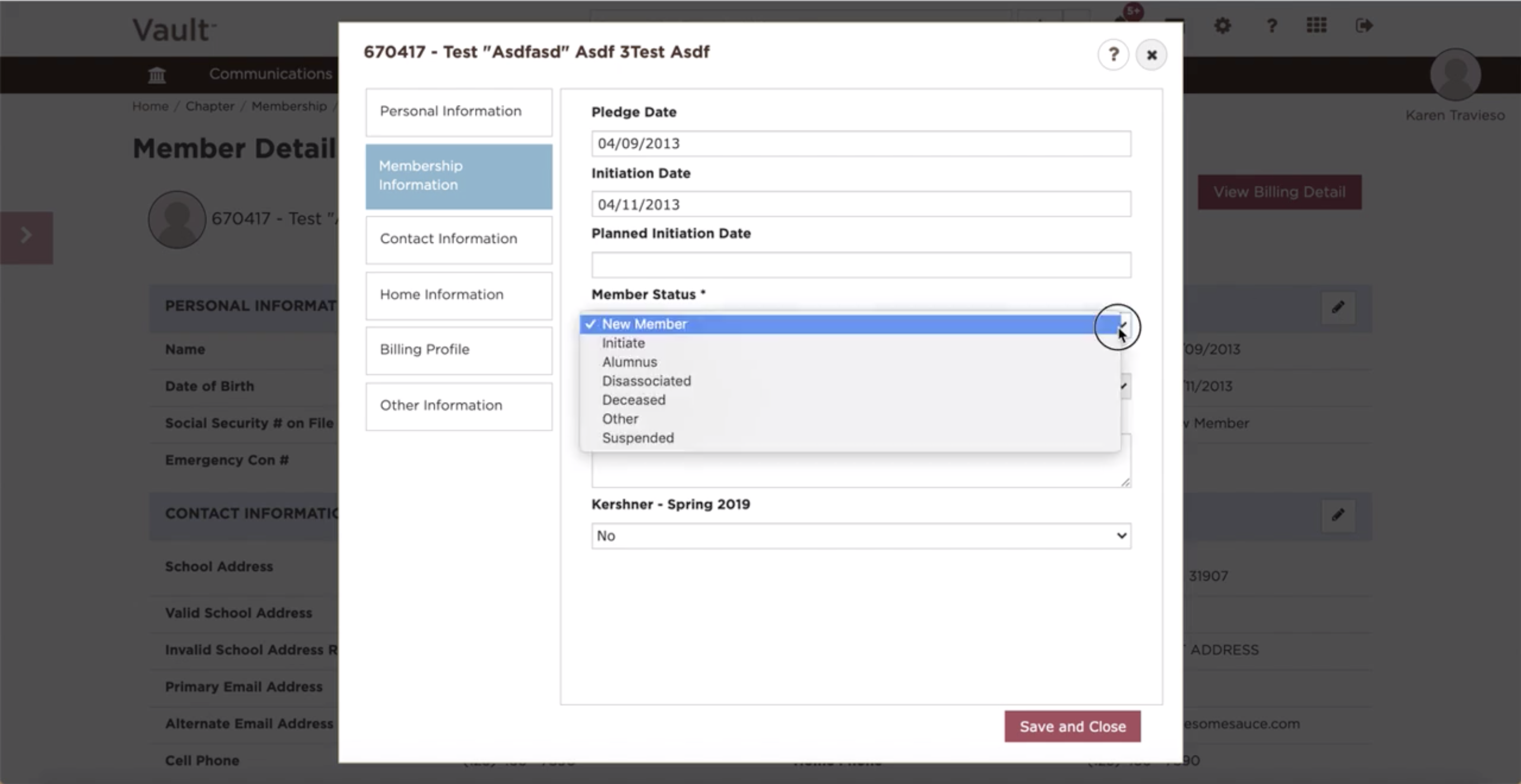
- Click on the pencil icon on the Member Information tab
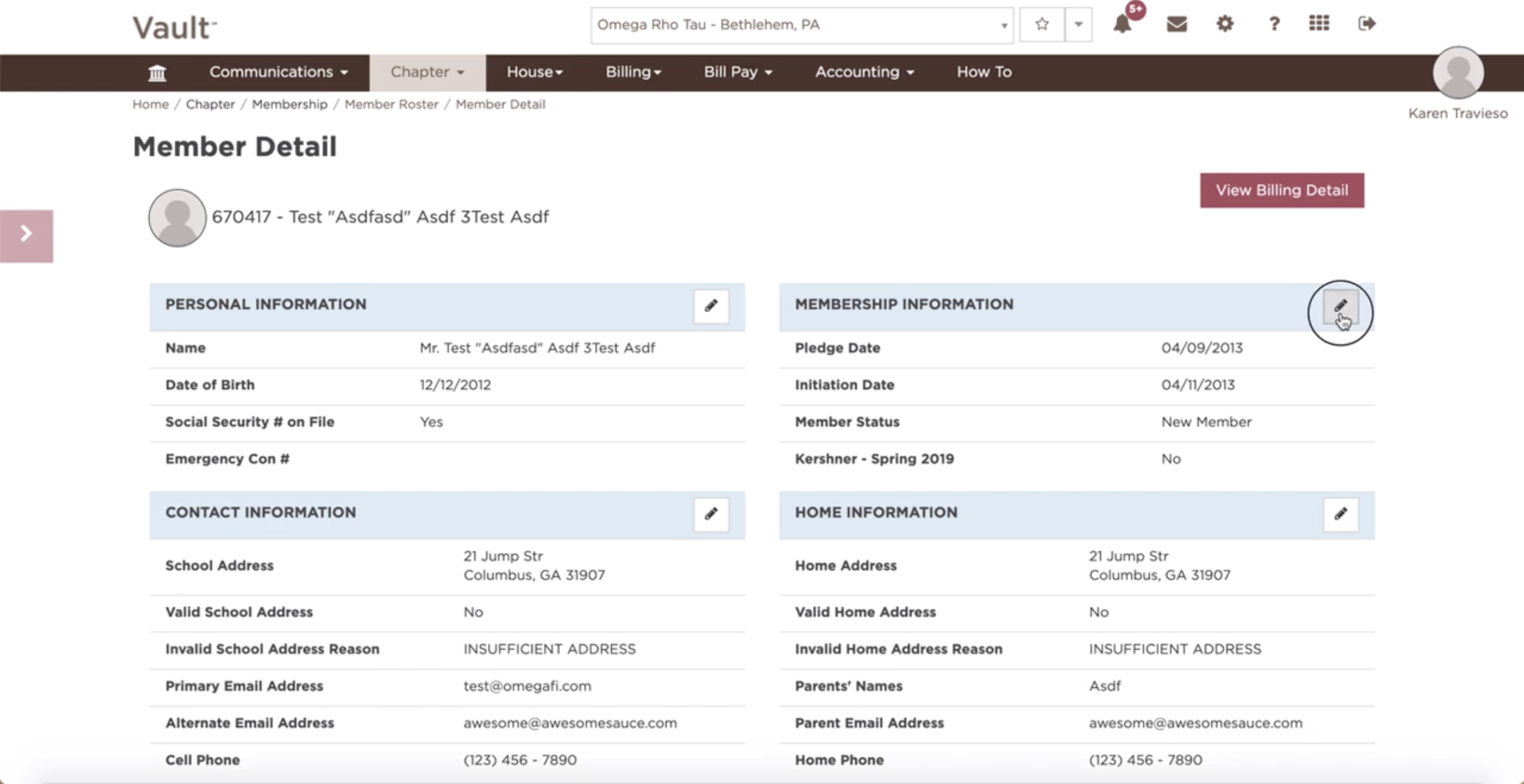
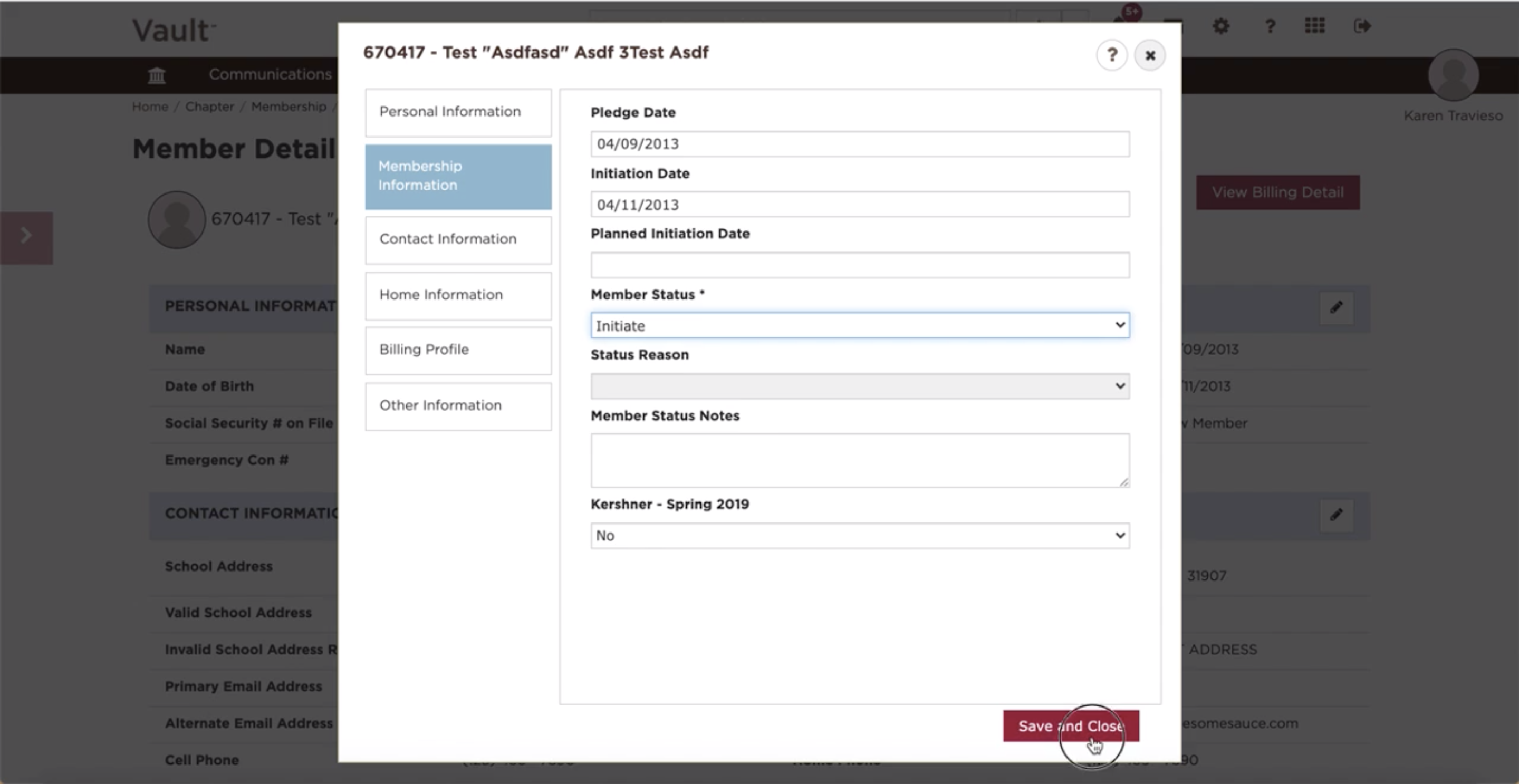
- Select the Member Status field and click on the appropriate status
- Click "Save and Continue"
*We recommend you update member statuses at the beginning and end of each term.
See also:
What is the difference between Member Status and Billing Status?